Key Takeaways:
- Data portability allows your client and case management information to move to any system.
- Poor data portability leads to problems like vendor lock-ins and disrupted client and case continuity.
- When looking for a portable case management platform, ask about the data model, APIs, and the offline mobile options.
Why Data Portability in Case Management Matters
In human services, your case data is proof that your services were delivered. Connected data between partners is one of the biggest drivers of real change, but it comes fraught with challenges.
Providers must navigate real-world risks with data portability in case management. Leaders often find themselves trapped with a certain vendor; it's too expensive to change vendors, but the option you're using no longer fits with your budget or needs.
Grant compliance, Medicaid, and other financial donors require regular audits of time records quickly and in structured form. Outdated, expensive software doesn't always allow this level of flexibility, making any vendor outage or conflict a compliance risk.
Social services providers need long-term data ownership solutions that grow with them, adding new features and simplifying sharing of data between partners while remaining compliant.
What Is Data Portability in Case Management?
Data portability in case management is where your team can move client and program data from one case management system to another, on demand. There should be no drop in quality, and it should be easy to read and understand.
For a human services case management platform, strong data portability usually includes:
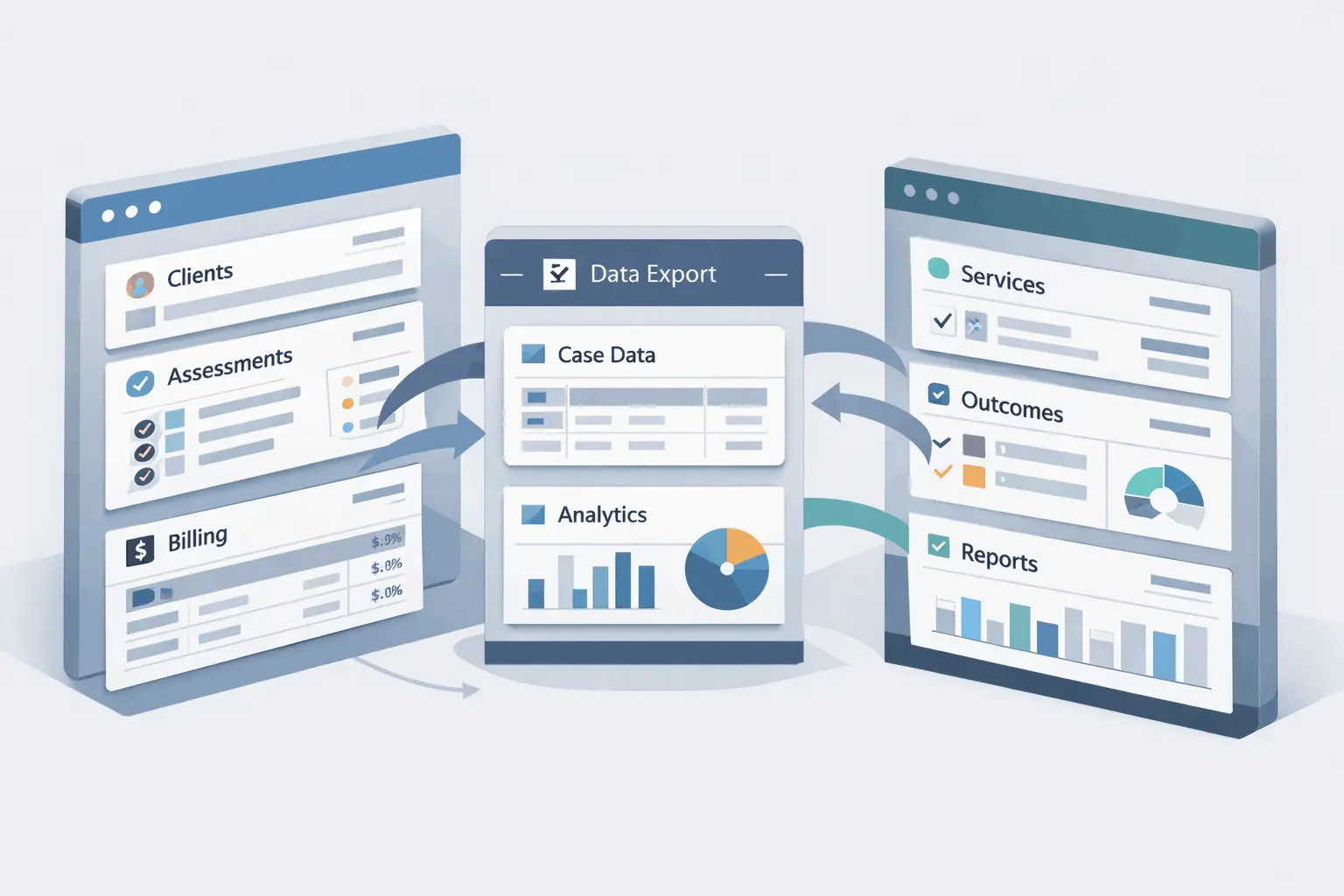
- Bulk export of all key entities (clients, assessments, services, outcomes, etc.) in open formats.
- Clearly defined data models and APIs so a receiving system can interpret fields consistently.
- The ability to initiate transfers for migrations, provider changes, or analytics without undue friction or vendor dependence.
In short, data portability in case management makes sure that your client's information is never trapped in a data silo. You can carry their history and evidence of care wherever your technology or partnerships need to go.
Data Portability vs Interoperability
Data portability and interoperability are related but distinct: portability is about moving data between systems, while interoperability is about different systems working together in real time.
In practice, you want both. Portability helps avoid lock‑in and enables full system changes. Interoperability allows you to coordinate across partners and tools without always moving everything. Portability lowers switching costs; interoperability makes multi‑system ecosystems viable.
Some examples within a case management context:
- Portability example: Exporting all client, enrollment, and service data from your current case management system to migrate to a new vendor, or to keep an offline archive.
- Interoperability example: Your case management system exchanging data with an HMIS, EHR, or workforce system through standardized APIs so each can see up‑to‑date information without full migration.
The Hidden Risks of Poor Data Portability in Case Management Software
While it's easy to see poor data portability as a nuisance, it's much more than that. When you can't access your data when called upon, it opens up a business and compliance risk.
For example, a violation of the HITECH Act can be fined up to $1.5 million. Accurate data records give you the proof needed to help fight a violation.
Vendor Lock-In
Vendor lock-in happens when switching away would be so costly or technically hard that you're effectively stuck, even if the product no longer fits your needs or pricing. In case management, lock-in often comes from proprietary data schemas, undocumented APIs, or contract terms that don't guarantee timely, full exports in a usable format.
There is also a "lock‑out" risk: if the vendor goes down or suspends your access, you can suddenly lose timely access to critical case records. This is why you need portable copies under your control.
Portability reduces these risks by:
- Letting you periodically extract full datasets in open formats you can store independently.
- Making it feasible to run side-by-side pilots with a new platform using real historical data, instead of starting from scratch.
- Giving you negotiating leverage; you can credibly threaten to leave if the vendor stops meeting needs because moving is technically possible.
Disrupted Client and Case Continuity
Poor data portability disrupts continuity because it breaks the story of the case. History gets fragmented, re-keyed, or lost when clients, staff, or systems change.
When data goes missing, clients often have to go through part or all of the intake process again. This forces them to retell trauma and re‑sign consents, which harms trust and engagement. This repetition can delay services and make clients feel like nobody is tracking their progress over time.
Other ways that services are impacted include:
- Gaps in risk and service history: Assessments and notes may not map in a new system, leaving new case managers with critical missing information. This can cause lapses in follow-up, missed appointments, medication gaps, and more.
- Disorganized transfers: If info is stored in emails and spreadsheets, it makes it hard for new staff to onboard a case.
- Operational disruption during system changes: Lengthy cutovers, manual data cleaning, and parallel paper workarounds can cause delayed referrals and lost follow‑ups.
Compliance and Audit Exposure
Poor data quality turns audits into a liability because you cannot reliably prove what happened, when, and for whom, which directly undermines compliance.
Regulations like HIPAA expect data to be accurate and traceable. Deficiencies are treated as compliance risks. Auditors test the underlying data to see whether real records match your documented processes and controls.
If the following bad data shows up in audits, it could lead to fines or removed funding for your organization:
- Incomplete or inconsistent records: Missing fields and conflicting values across systems means documentation doesn't match the services billed.
- Duplicates and outdated information: Show auditors weak governance and can cause over‑ or under‑reporting in required submissions.
- Weak or missing audit trails: No clear who, what, or when prevents you from demonstrating proper access control, funding requirements, and incident response.
When data is unreliable, organizations struggle to meet ongoing monitoring and reporting duties. Quality issues in source systems feed into errors in dashboards and regulatory reports. This makes leadership question the credibility of everything downstream.
What to Look for in a Portable Case Management Platform
For a portable case management platform that will work across programs, funders, and devices, you want three layers to line up:
- The data model
- The APIs
- The practical realities of mobile/offline work
1. Open and Structured Data Models
You want a model that is explicit, documented, and not locked into one vendor's worldview. You need core entities, such as client, household, enrollment, etc. to all have a stable ID. Look for explicit relationships rather than free text. If you want a configurable form, make sure that it still transfers to other platforms.
Be sure to look for:
- Full data export in open formats (CSV, JSON, etc.) that includes reference tables and code sets.
- No proprietary encryption of business-level data that prevents cross-tool analytics.
- Alignment with your specific needs, such as HL7 FHIR-like concepts for Medicaid.
A huge red flag: if the only structured object in the system is a "case note," then the software won't work for an audit or Medicaid billing requirements.
2. API-First Architecture
Think of API as "how easily other tools can talk to this system and automate work for you." If staff can create or update clients, enrollments, services, notes, and claims, other software should be able to do the same through the API.
When shopping for tools, ask for written documentation that lists all the building blocks: clients, enrollments, services, notes, etc., plus what fields each one has.
A quick test you can do to assess the API standards is to ask them to:
- Show a common workflow (e.g., intake + enrollment + one service) being done through the API, not just the UI.
- Share a real example of a customer integration or migration that didn't require the vendor to write custom code.
If they struggle to do either, they probably don't have a portable, integration-friendly platform.
3. Offline-First Mobile Design
Sometimes, case managers have to work in places without internet access, such as rural areas. Case management data portability means that staff can use this anywhere without losing data.
Staff can open the software on their phone or tablet, access all their client information, and even have clients fill out forms. This data will then save until they're back with internet access, and the information will automatically upload. If two people edit the same record, the system has an established method to handle the conflict (e.g., shows a warning and lets someone choose the right version).
But what about security? Offline-first mobile design stays safe through:
- Data stored on the device is only the info the case worker needs
- If the device is stolen, you can wipe it immediately
- The app requires SSO or biometrics and uses encryption to store data safely
How PlanStreet Is Built for Data Portability by Design
When considering data portability for case management software, PlanStreet is built with flexibility in mind. With a configurable platform, agencies can pick and choose the tools they need. It's always growing, so your team can scale with the software as needed.
PlanStreet supports data portability through:
- Central structured data: No spreadsheets are needed with clearly labeled data (intakes, services, outcomes, billing, etc. in defined fields) that can be reused for reporting, exports, and integrations without manual cleanup.
- Custom reporting: You can pull data into dashboards and reports with no coding required.
- Connection with other systems: Your data can flow into other systems you rely on, instead of being trapped in one application.
- Customizable forms: You can personalize intake forms and program screens, including embedding forms on your website and flowing that data directly into the case management system.
- Cloud infrastructure: Hosting on Microsoft Azure means your data sits on widely used infrastructure, not a proprietary black box in someone's back office.
Data portability like this in case management ensures that your team can provide quality services to your clients, with no unplanned interruptions.
Future-Proofing Your Organization Starts with Data Ownership
Case management software is one of your biggest assets when it comes to compliance, case planning, and time management. Help your caseworkers do their best work with data that can go with them wherever they are at.
If you're evaluating your case management platform options, ask yourself this question: if our funding or programs change, can this option change with us? If not, it's time to look for a better solution.